PlayStore & App Store
3 Simple Steps for crucial ssd Warranty Claim
Chat or Submit a Claim
Let Warranty Valet assist you in claiming crucial ssd warranty hassle-free.
Step 1:
Before moving forward, confirm that your hardware issue is a result of a manufacturing flaw in materials or workmanship. The warranty specifically covers mechanical and electronic failures that occur under normal operating conditions.
Ensure you have your Order Number (for direct purchases) or a dated Proof of Purchase from an authorized retailer ready to validate your claim. Note that the warranty excludes damage caused by improper installation, power surges, or using the drive beyond its rated endurance (Total Bytes Written or TBW). For SSDs, you should use the Crucial Storage Executive tool to check the drive’s health and confirm the defect is hardware-related rather than a software conflict.
Step 2:
To initiate the process, you must access the official Support RMA portal to open a digital intake ticket. Because Crucial manages high-precision electronic components, providing specific technical data upfront is the most efficient way to secure a Return Material Authorization (RMA).
You must provide the Material Number and Batch Code (found on the product label), along with a detailed description of the failure, such as failing to boot, intermittent BSOD, or unreadable sectors. High-quality photographs of the product label are required for assessment to ensure the serial numbers are legible. Be sure to include a clear shot of the front and back of the module or drive to verify there is no physical damage to the pins or casing.
Step 3:
If the digital claim is approved, you will be issued an RMA Number. The company will at its discretion repair the component or replace it with a new or factory recertified unit of the same model or a comparable alternative if the original is discontinued.
While submitting your claim, you are highly encouraged to use the Crucial Advisor tool to ensure your purchase history and system compatibility are documented for faster future support. Once the team authorizes a solution, follow the provided shipping instructions carefully; you must ensure the hardware is packed in anti static packaging to prevent further damage during transit. Once received and inspected, your replacement will be processed and shipped to your address.
crucial ssd Warranty Period:
DRAM (RAM): Limited Lifetime Warranty for most memory modules (where permitted by law).
SSDs (Internal): Typically 3-Year or 5-Year Limited Warranty, depending on the specific model (e.g., T-series vs. P-series).
External/Portable SSDs: Generally carries a 3-Year Limited Warranty.
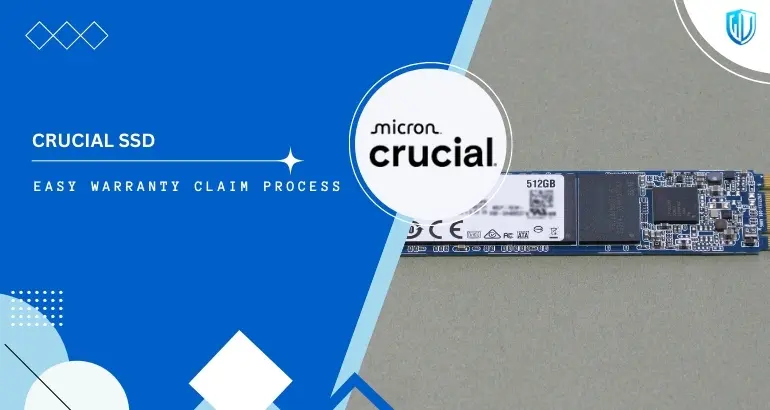
crucial ssd Contact Information:
Contact Address
8000 S. Federal Way, P.O. Box 6, Boise, ID 83707.
Chat or Submit a Claim
Let Warranty Valet assist you in claiming crucial ssd warranty hassle-free.
Useful Links:
What is covered under the crucial ssd Warranty?
Eligible for Coverage: The Standard Manufacturers’ Warranty
- Material Flaws: Coverage for defects in the NAND flash, controller, or PCB components.
- Electronic Failure: Protection against premature circuit failure or memory cell degradation.
- Workmanship Defects: Replacements for modules or drives showing improper assembly from the factory.
- Performance Guarantee: Coverage if the hardware fails to meet its rated specifications under standard use.
- Authorized Swaps: Provision of an equivalent or superior model if the exact replacement is unavailable.
What is NOT covered under the crucial ssd Warranty?
Exclusions: Standard Warranty Limitations
- Physical Damage: Snapped PCBs, scratched pins, or cracked casings caused during installation.
- Endurance Limits: SSDs that have reached their maximum rated Total Bytes Written (TBW) are typically out of warranty.
- Unauthorized Modifications: Any warranty is void if labels are removed, heat sinks are tampered with, or third-party firmware is applied.
- Data Recovery: The warranty covers the hardware only; it does not cover the cost of data recovery or loss of digital information.
Products of crucial ssd:
Our complete claim assistance covers all crucial ssd products, including:
| Product name |
|---|
| Internal SSDs |
| T705 (Gen5) |
| T500 |
| P3 Plus |
| MX500 SATA series. |
| External SSDs |
| X10 Pro |
| X9 Pro |
| X6 Portable drives. |
| Memory (DRAM) |
| Crucial Pro Series (Overclocking/DDR5) |
| Laptop (SODIMM) |
| Desktop (UDIMM) kits. |
| Specialized Gear |
| High-capacity workstation memory |
| Mac-compatible upgrade kits. |
Contact Our Claim Experts
Feel free to get in touch with our Warranty Valet® claim experts. Our dedicated staff is more than happy to assist you.
Disclaimer: Warranty Valet exclusively functions as an agent for warranty claim processing and possesses no authority or ownership of crucial ssd logos or trademarks. The rights to all brand logos and trademarks remain the sole prerogative of crucial ssd.